
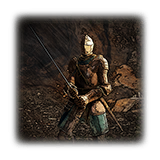
Item details
About Wielding Armaments
Official game text and verified values are shown; unavailable values are not guessed.
DescriptionVerified
Each hand can be equipped with up to three armaments, allowing you to toggle between them.
Armaments can also be two-handed, making attacks more difficult to repel with shields and boosting effective strength by 50%.
The PlayStation and Xbox buttons below use the standard controller layout. If you changed the controls, use your assigned buttons. On PC with keyboard and mouse, open Main Menu → System → Key Settings → Keyboard/Mouse and check the bindings for the actions described below; do not assume controller labels are keyboard keys.
On either controller, press left on the D-pad to switch the equipped left-hand armament, or right on the D-pad to switch the right-hand armament. On keyboard, use the bindings for Switch Left-Hand Armament and Switch Right-Hand Armament.
For the right-hand weapon, hold Event Action and press normal Attack: PlayStation △ + R1; Xbox Y + RB. For the left-hand weapon, hold Event Action and press the left-hand action: PlayStation △ + L1; Xbox Y + LB. Repeat the same combination to return to one-handed use. On keyboard and mouse, combine your Event Action binding with the corresponding right-hand Attack or left-hand action binding. These instructions apply on foot.
Additional informationPartially verified
Information about wielding armaments
Examine using Control not confirmed
Item detailsPartially verified
- Weight
- 0
- Maximum held
- 1
- Maximum stored
- 1